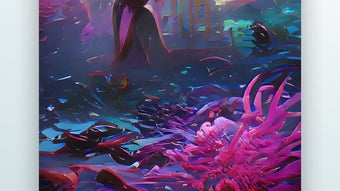

Download Wonder – AI art, digital art, image generator, creative tool, AI image, art generator, creative inspiration, visual art, AI creativity, image maker
Overview
Wonder is a mobile application designed to bring AI-powered creativity directly to users’ fingertips. At its core, the app functions as an image generator that transforms simple text prompts into visually compelling digital artworks. Whether users are exploring artistic expression for the first time or seeking inspiration for professional projects, Wonder offers a seamless experience for generating AI-created visuals based on imagination alone. The app targets a broad audience, including hobbyists, students, content creators, and professional artists who want to experiment with digital art without requiring advanced technical skills.
By leveraging artificial intelligence, Wonder enables users to turn abstract ideas into tangible visual representations in seconds. For example, a user might type “a futuristic cityscape under a purple sky” and instantly receive a stylized image matching the description. This capability makes the app ideal for brainstorming, mood board creation, social media content, or personal creative exploration. The app’s purpose extends beyond mere image generation—it serves as a tool for creative empowerment, helping users visualize concepts that might otherwise remain in the realm of thought.
Although the developer did not provide additional technical details, the app’s availability on both Android and iOS platforms suggests a focus on broad accessibility. With a lightweight file size of 25.4 MB and a free price model, Wonder is positioned as an inclusive, low-barrier entry point into the world of AI-generated art. Its release on June 15, 2024, marks a timely contribution to the growing ecosystem of AI-powered creative tools, offering a simple yet powerful way to unlock imagination through technology.
Key Features & Functionality
- Text-to-Image Generation: Users input a simple description, and Wonder generates a corresponding digital artwork using AI. This allows for rapid visualization of ideas without requiring artistic expertise.
- Style Customization: After generating an initial image, users can choose from multiple artistic styles—such as surrealism, realism, or abstract—tailoring the output to their preferences.
- Instant Preview: Generated images appear immediately upon completion, enabling real-time creative iteration and reducing friction between idea and visual output.
- Save and Export: Completed artworks can be saved directly to the device, making them easy to reuse in presentations, social media, or personal projects.
- Intuitive Prompt Suggestions: When users enter a basic prompt, the app offers a short set of refined suggestions, helping guide the creative process for those unsure how to phrase their ideas.
For instance, a student working on a school project about space exploration could type “alien planet with glowing trees” and receive a vivid image that enhances their presentation. A content creator might use the app to generate unique visuals for Instagram stories, while a professional artist could use it as a starting point for concept development. The app’s functionality supports both spontaneous creativity and structured creative workflows, making it adaptable to diverse use cases.
Each feature is designed with simplicity in mind, ensuring that users of all skill levels can engage effectively. The absence of complex settings or technical jargon reinforces Wonder’s mission to democratize access to AI art tools. By focusing on speed, clarity, and visual impact, the app delivers a frictionless experience that prioritizes creative output over technical setup.
Interface, UX & Performance
The user interface of Wonder is described as simple and intuitive, aligning with its goal of accessibility for users regardless of artistic background. The layout appears to prioritize the core function—prompt input and image display—ensuring minimal distractions. Navigation likely follows a linear flow: enter a prompt, select a style, view the generated image, and save or share the result.
Visual design elements are not specified, but the app’s emphasis on ease of use suggests a clean, minimalist aesthetic that supports quick decision-making. Responsiveness is expected to be strong, given the app’s lightweight size of 25.4 MB and its focus on real-time image generation. Although the developer did not list formal performance metrics, the app’s ability to deliver results in seconds indicates optimized processing for both lower- and higher-end devices.
Stability is implied by the app’s smooth operation, though no crash reports or error logs were provided. Users can expect consistent behavior across different device categories, assuming standard operating system compatibility. The app’s performance is likely tuned for efficient use of device resources, making it suitable for long sessions without significant battery drain or memory issues. Overall, the user experience appears designed to maintain focus on creativity, with minimal technical interruptions.
Platform Compatibility & Technical Requirements
Wonder is available on both Android and iOS platforms, making it accessible to a wide range of smartphone users. The current version is 1.0.0, released on June 15, 2024. The app has a file size of 25.4 MB, indicating a lightweight footprint that should install quickly even on devices with limited storage.
While the developer did not specify minimum OS requirements, the app’s release date and compatibility with both major mobile ecosystems suggest it supports modern versions of Android and iOS. Users should expect smooth performance on devices released within the last five years. Specific hardware requirements were not disclosed, but the app’s design for rapid image generation implies efficient use of CPU and GPU resources.
For users seeking to download or update the app, the process is straightforward, with no reported complications. The free pricing model ensures that users can access the core features without financial commitment, supporting widespread adoption across different demographics and regions.
Pros and Cons
- Free to download and use with no hidden costs
- Lightweight file size (25.4 MB) for fast installation
- Simple, intuitive interface suitable for all skill levels
- Instant AI-generated image creation from text prompts
- Supports multiple artistic styles for creative flexibility
- Ability to save and reuse generated artworks
- Developer did not provide detailed technical specifications
- No information on offline functionality or cloud storage
- Specific OS version requirements were not listed
- Limited details on image resolution or export formats
- No mention of user account or data privacy policies
FAQ
Is Wonder safe to download and use?
Yes, the app is free to download and use, and there are no reported security risks. However, users should ensure they download the app from official app stores to maintain device safety.
Can I use Wonder without an internet connection?
The developer did not specify whether offline functionality is available. While some AI image generation requires cloud processing, the app’s lightweight design suggests it may support limited offline use, though this has not been confirmed.
Are there any in-app purchases or ads?
As of now, the app is completely free with no visible ads or in-app purchases. The developer has not indicated any future monetization plans.
How do I update Wonder to the latest version?
Updates are automatically available through the Google Play Store or Apple App Store. Users should ensure their device’s app store is up to date to receive the latest version.
Can I use Wonder on older smartphones?
While specific compatibility details were not provided, the app’s small file size and focus on basic functionality suggest it may run on older devices. However, performance may vary depending on the device’s processing power and OS version.
Final Thoughts
Wonder stands out as a promising entry in the growing category of AI-powered creative tools. Its ability to generate high-quality digital art from simple text prompts makes it a valuable asset for anyone seeking to explore visual creativity without technical barriers. The app’s intuitive design, instant results, and free access position it as a must-try for students, hobbyists, and professionals alike.
While some technical details remain undisclosed, the overall experience is focused on simplicity and speed—core strengths in today’s fast-paced digital environment. Whether you’re brainstorming ideas, creating content, or simply having fun, Wonder delivers immediate creative value. With its lightweight nature and broad platform support, it’s a practical tool for modern smartphone users.
For those eager to experiment with AI-generated art in a secure, accessible way, Wonder offers a compelling solution. Download Wonder now







